For solo walkers and growing companies
Dog walking software that connects the whole business.
Keep the next booking, the day's walks, client updates, and billing in one workspace. Dog Walker Central helps you organize your own work today and coordinate a team as your company grows.
Free plan available. Auto-Assign and AI assistance require a paid plan; online payments require Stripe setup and fees apply. Plan details
Example workflow
From a regular walk to the next payment
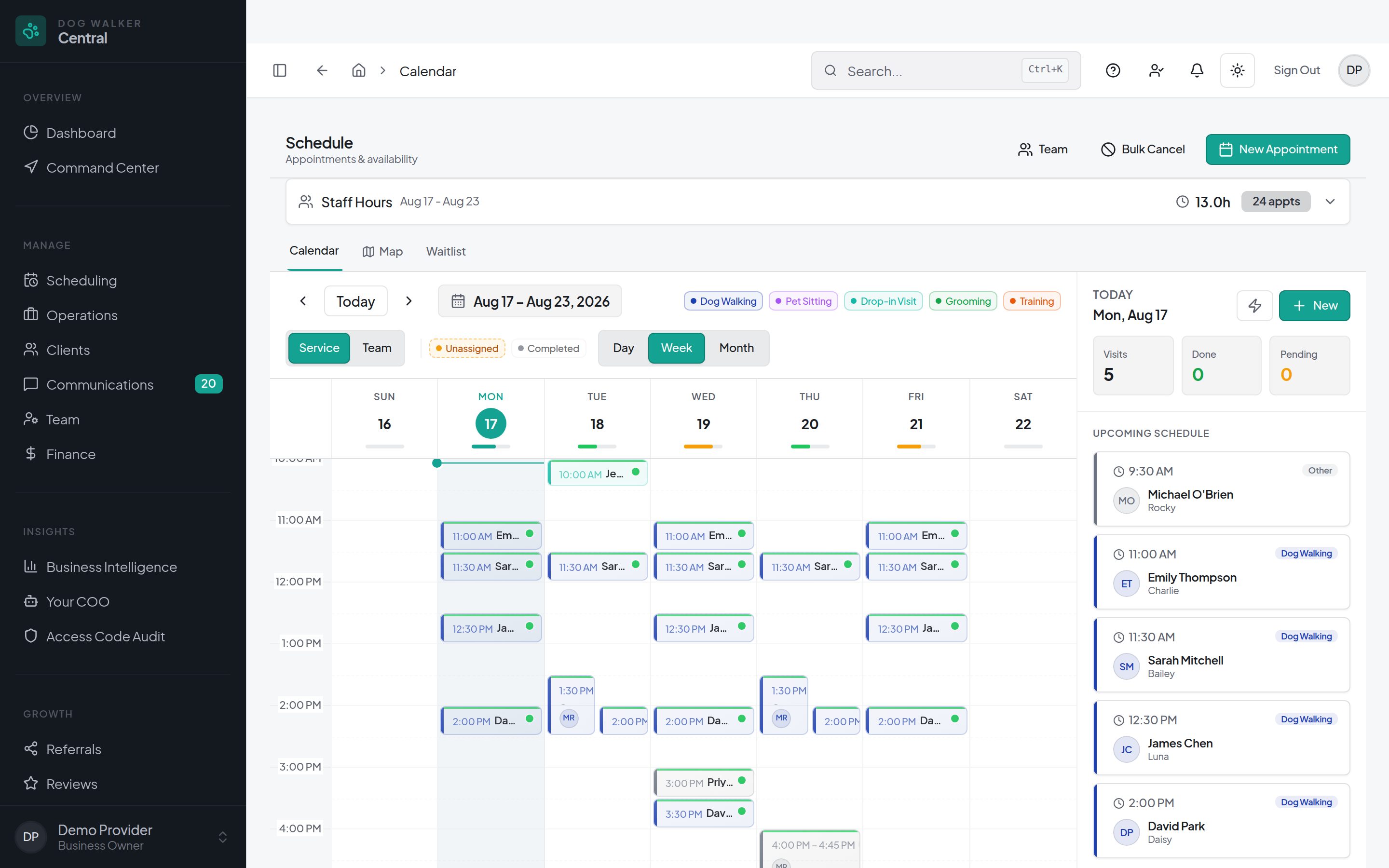
Example workflow: a client needs weekday walks, you plan the work, and the visit record stays connected to client communication and billing.
Keep the care details with the client
Store household contacts, pet profiles, and care instructions together. Configure your services, booking windows, and pricing for the work you offer.
Book, assign, and plan the day
Create one-off or recurring visits in the calendar. Plan your own route or coordinate walkers, availability, and assignments. Review proposed route changes before applying them.
Record the visit and share an update
Use field tools for check-in, check-out, photos, and visit reports. Saving a report and choosing Notify Client are separate actions, so you decide when to send the report update.
Keep billing in the same workspace
Create and manage invoices, check payment status, and let clients pay online after Stripe setup. Review your configured billing rules rather than assuming every visit is charged automatically.
In the workspace
A workspace you can adapt as you grow
Start with your own route
Use the calendar and route planning for a solo business. Customize visit settings and review the proposed order before you make a change.
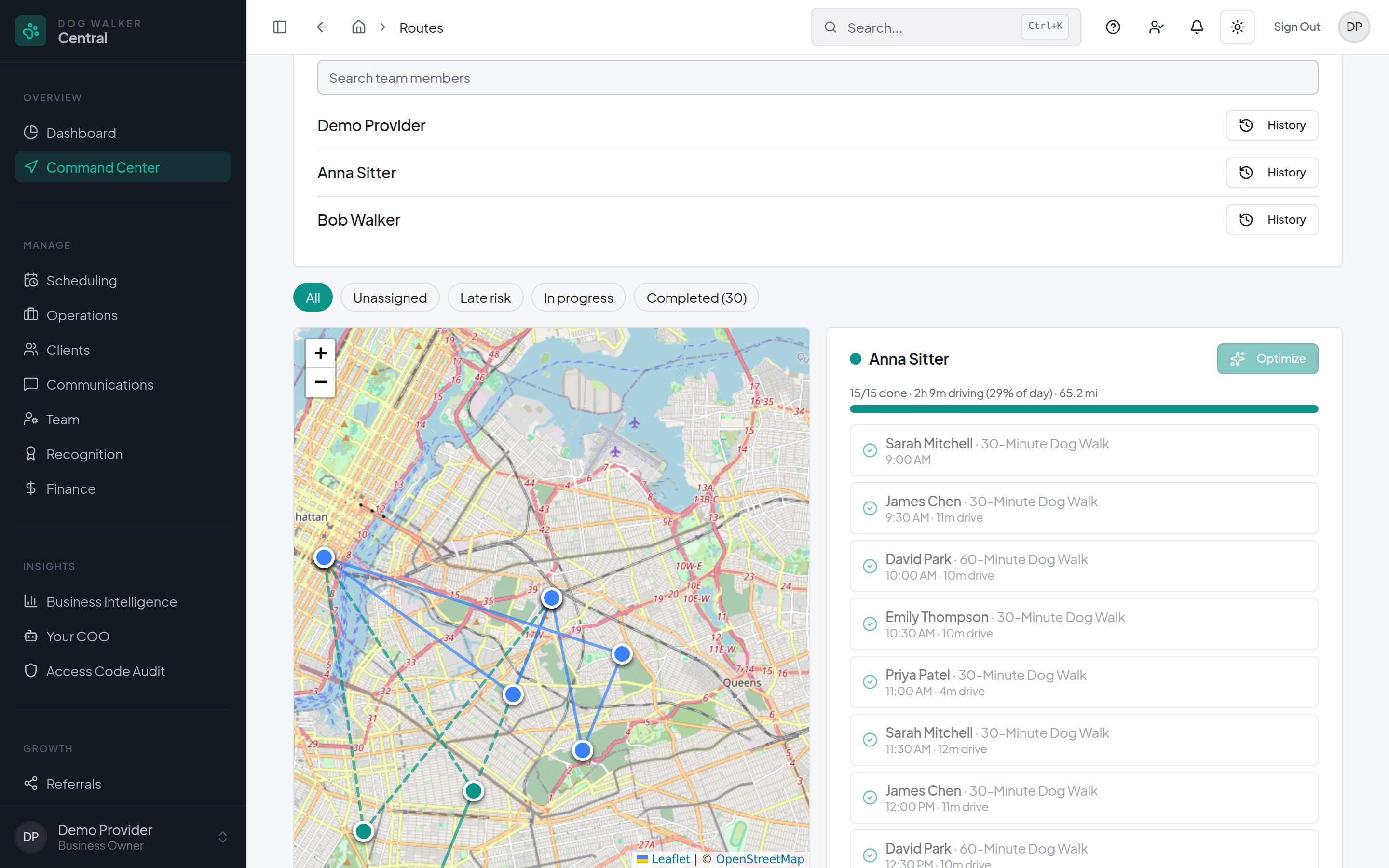
Coordinate people, not separate spreadsheets
Add team members with role-based access. Use Command Center to review routes, visit progress, and unassigned work. Team limits and features depend on your plan.
Follow up using records you already keep
The Automation Library offers client follow-up using client, pet, and visit data. Automations are off by default: review settings and messages before enabling. Consent, opt-outs, plan availability, and channel costs apply.
Questions
Before you decide
- Is this software for a solo dog walker or a company?
- Both. You can organize your own clients and visits, then add team members and coordinate assignments as needed. Features and team limits vary by plan; check current pricing before choosing.
- Does dog walking software include client communication and billing?
- Dog Walker Central connects client and pet records, messaging, visit reports, invoices, and payment status. Online payments require Stripe setup, and processing and applicable platform fees apply.
- Can I try the platform before choosing a paid plan?
- A Free plan is available with no credit card required to start. See the pricing page for current limits, included features, and Pro rates. Auto-Assign and AI assistance require a paid plan.
- Do I need a different version for my state?
- No state-specific edition is required. The same business workspace serves providers nationwide; you configure your own services and operating rules. It does not replace advice about local business, employment, or tax obligations.
Connect your next booking to the rest of your business.
A Free plan is available. Features and team limits vary by plan; Auto-Assign and AI assistance require a paid plan. Online payments require Stripe setup, and processing and applicable platform fees apply.