Plan your own day or coordinate a team
Dog walking scheduling software that keeps you in control.
Bring recurring visits, walker availability, and route planning into one workflow. Generate a plan, review what changes, and apply only what you approve—not an unattended reshuffle of the day.
Free plan available. Auto-Assign and AI assistance require a paid plan; online payments require Stripe setup and fees apply. Plan details
Example workflow
From recurring requests to a reviewed plan
Example: a regular weekday client adds a visit while a walker is unavailable. Review coverage and proposed changes before updating the day's work.
Create the recurring work
Set a recurring appointment pattern for regular clients. Manage a single occurrence or the series, keeping one-off changes distinct from the client's usual schedule.
Review availability and assignments
Check who is available and which visits still need coverage. Assign work yourself or use paid Auto-Assign to propose team assignments based on the planning settings you choose.
Generate and adjust a proposal
Choose priorities such as balanced workload, shortest distance, familiarity, or geographic clustering. Availability, visit windows, and service constraints guide suggestions. Generating a plan does not apply it.
Preview the route, then apply
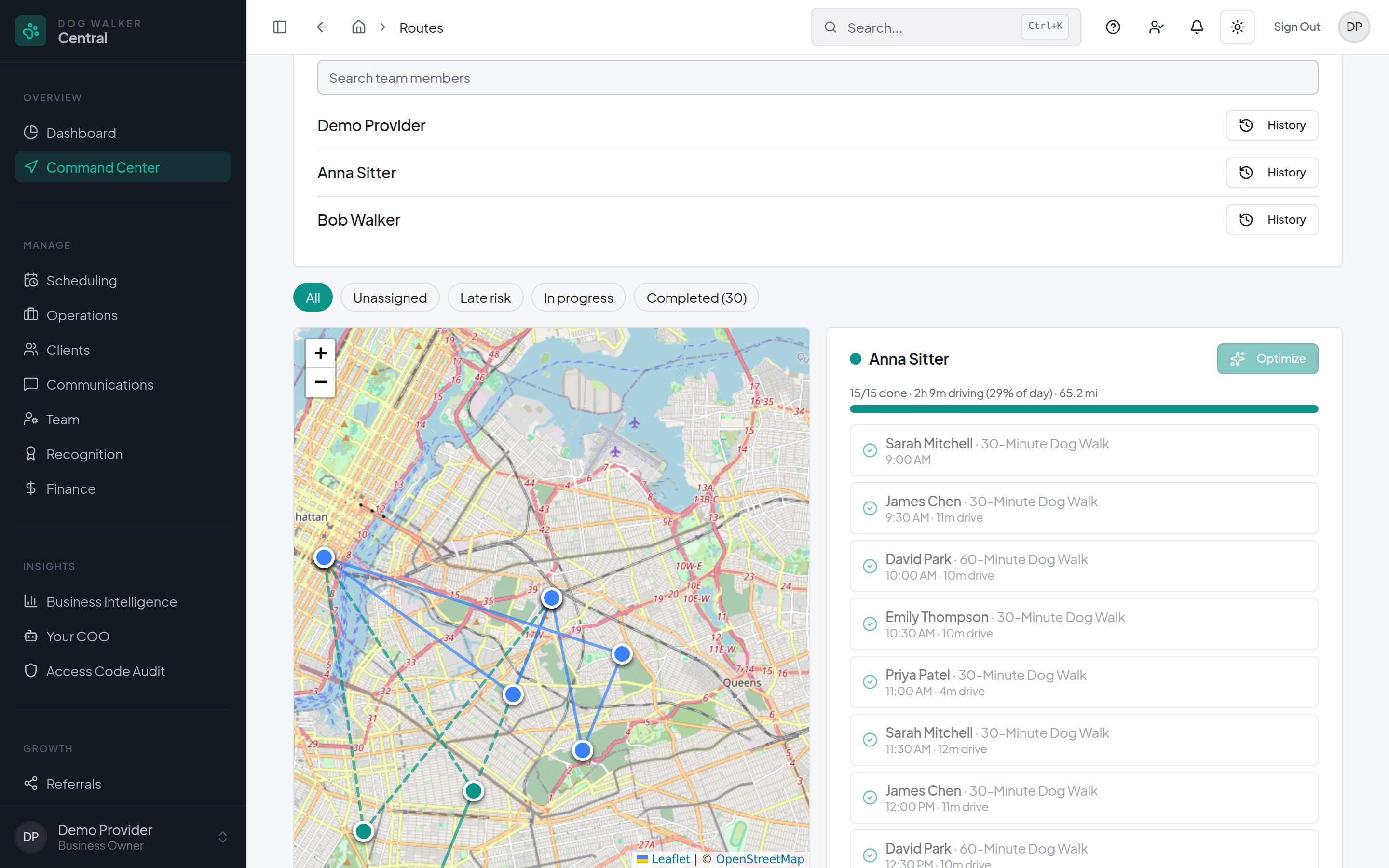
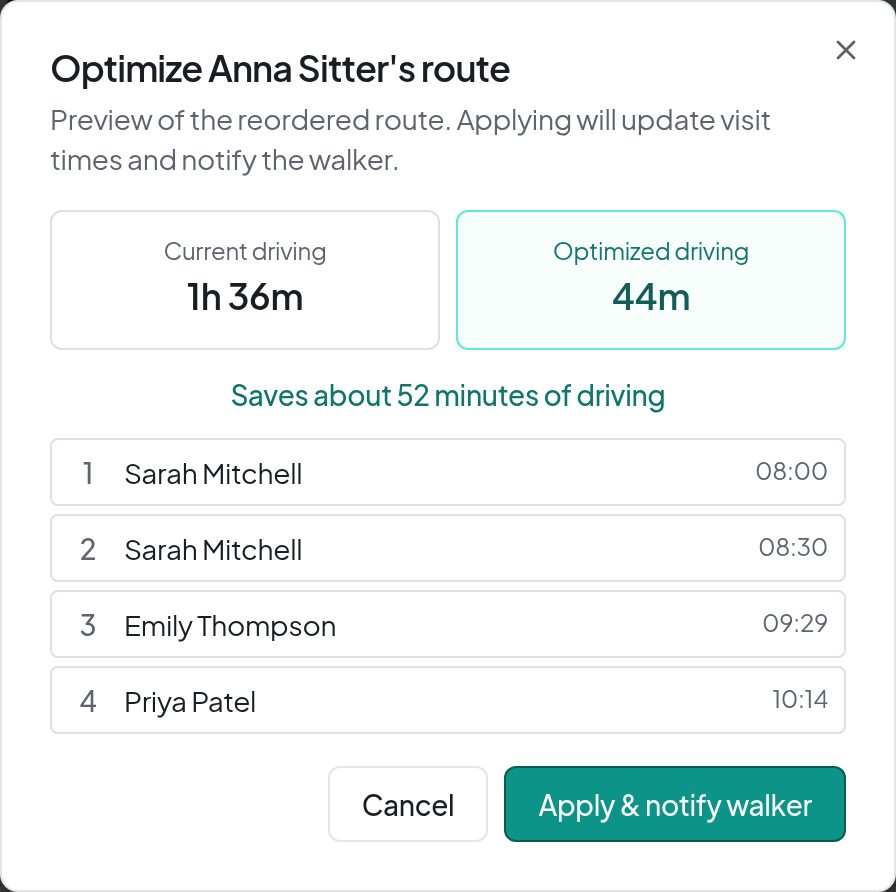
In Command Center, compare the current and proposed route order and estimated drive time. Review proposed visit-time changes before using Apply and notify walker.
In the workspace
Separate planning from changes to the live schedule
Useful for a solo route too
Route planning is not only for dispatchers. Review the drive between your own visits, then decide whether the proposed order fits the care you promised.
Your settings guide the suggestions
Set availability, visit windows, and planning priorities for the work. Auto-Assign is a paid team feature, not a promise that every visit can be covered.
Keep reviewing as the day changes
Command Center shows planned routes, visit progress, and unassigned work together. Route estimates depend on usable location data; estimated driving time is not a guaranteed arrival time or saving.
Questions
Before you decide
- Does route optimization run without my review?
- No. Generate a proposal and review the route order, estimated drive time, and proposed visit-time changes. Applying the approved changes is a separate action; generating or previewing a plan does not apply it.
- Is Auto-Assign included in the Free plan?
- Auto-Assign requires a paid plan. It proposes team assignments for review using your planning settings. See current pricing for included features, team limits, and Pro rates.
- Can I change one visit without changing the recurring series?
- Yes. Recurring appointments can be managed as a single occurrence or a series. Review the selected scope before saving a schedule change.
- Does a route preview guarantee the fastest route or exact arrival times?
- No. The preview uses the available locations and scheduling constraints to estimate a proposed route. Review it against client commitments and actual conditions before applying. Drive-time estimates are not guaranteed savings or arrival times.
Plan the day. Review the changes. Stay in control.
A Free plan is available. Features and team limits vary by plan; Auto-Assign and AI assistance require a paid plan. Online payments require Stripe setup, and processing and applicable platform fees apply.